
 We all love torrents as it provides us free movies, free games free data too. However, Bit Torrent comes up with a pro version which doesn’t have ads in it. But, many of us doesn’t know that they can disable the ads in its preference settings. Let me tell you the reason for blocking the ads and why it might turn useful to you.
 As we know, ads take lot’s of data and it actually reduces the internet speed. Therefore, if you want to download your torrent files with maximum speed available then you need to block the ads and it will definitely enhance your download speed.
How To Disable Ads In uTorrent And BitTorrent
Step 1. Go to your BitTorrent or uTorrent Application –> Then Go to your Preferences settingand to the bottom of that setting you will find “Advance”

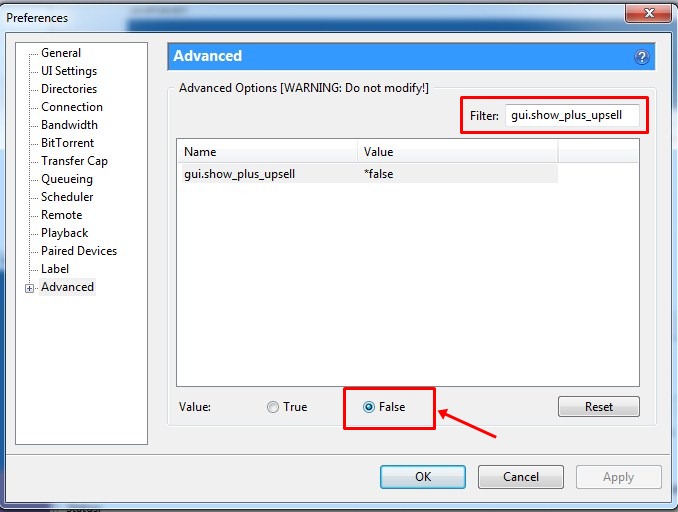
Step 2. Now you need to find the option of gui.show_plus_upsell and mark it as False.

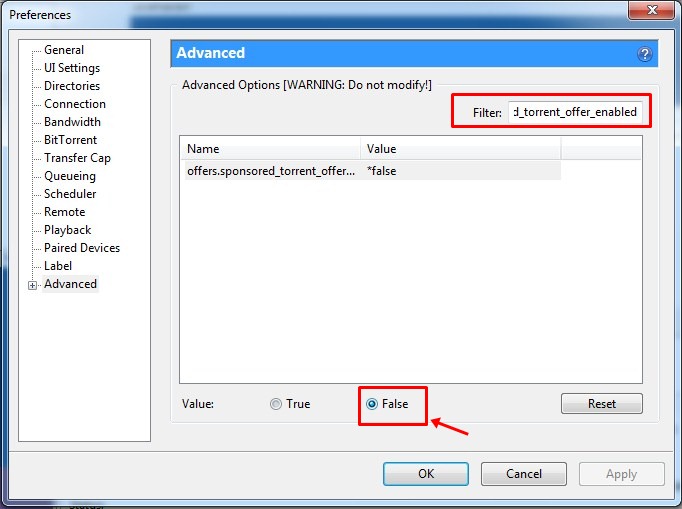
Step3. Next, you have to find the option of offers.sponsored_torrent_offer_enabled and mark it as False

Step 4. Now you have to find the option of bt.enable_pulse mark it as False


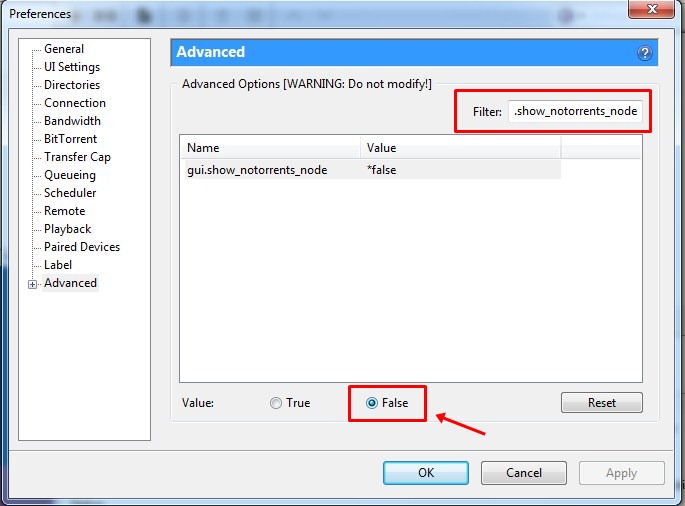
Step 5. Now you have to search for the option of gui.show_notorrents_node mark it as False

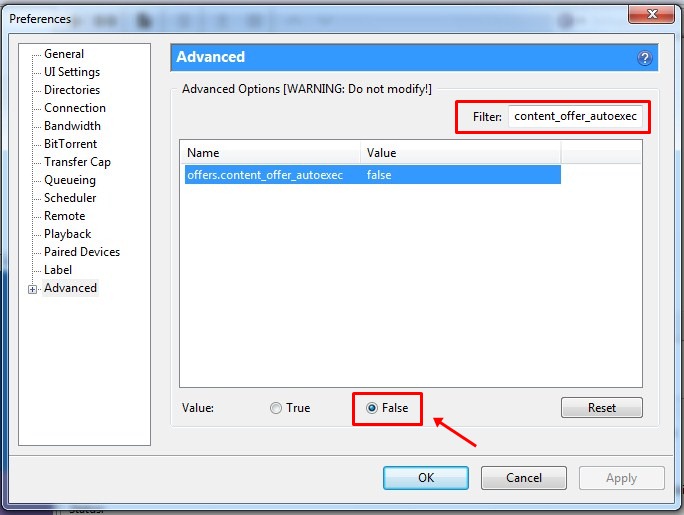
Step 6. Now at last you have to find the option of offers.content_offer_autoexec and mark it as False

That’s it! You are done now you will see no ads in your Torrent clients.

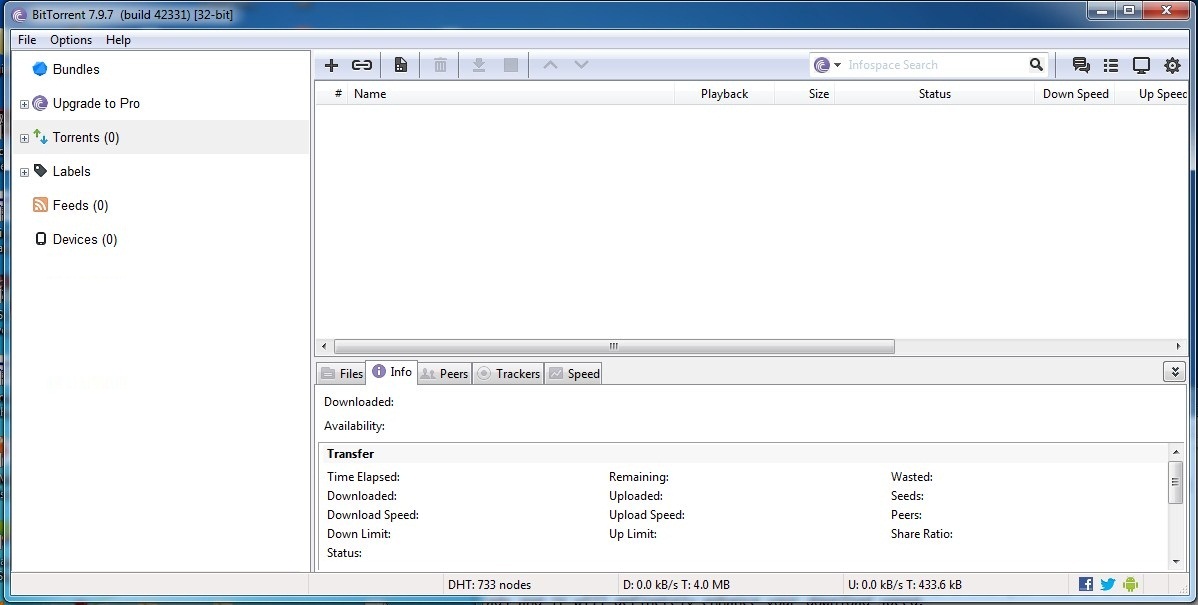
So above is the method to disable ads in BitTorrent or uTorrent. With the help of this, you can easily disable ads and download your torrent files with maximum speed available. Hope you like the post. Do share with others too! Leave a comment below if you are facing any problem at any steps.
No comments:
Post a Comment